
Why the iPad Is a Creative Powerhouse
If you’re just getting started with animation or digital drawing, the iPad is one of the best platforms out there. It’s portable, powerful, and packed with apps that let you sketch, animate, and bring your ideas to life—all without needing a full desktop setup. Whether you’re a hobbyist or hoping to go pro, the right app can turn your iPad into a full-fledged animation studio.
Let’s explore some of the best iPad apps for drawing and animation—especially for beginners who want power without the overwhelm.
1. FlipaClip (Free with in-app purchases)
FlipaClip is hands-down one of the best starter apps for 2D animation. It’s designed for frame-by-frame animating, and its clean, intuitive interface makes it easy to learn even if you’ve never animated before.
- Best for: Beginners who want to animate cartoons, memes, or short clips
- Why we love it: Onion skinning, timeline tools, audio syncing, and built-in community support
It’s playful but powerful—perfect for experimenting and learning the principles of animation.
2. Procreate (One-time purchase)
Procreate is a professional drawing app with powerful features—and yes, it has basic animation tools built in! While it’s best known for digital painting, the Animation Assist feature lets you create simple GIFs and animatics.
- Best for: Artists who want to draw and animate in the same app
- Why we love it: Gorgeous brushes, intuitive interface, and high-resolution canvas support
It’s not full-featured animation software, but it’s more than enough to create stunning animated sketches.
3. RoughAnimator (One-time purchase)
RoughAnimator is a frame-by-frame animation app that feels like a traditional animator’s sketchbook—only digital. It’s a bit more technical than FlipaClip, but it gives you more control and customization.
- Best for: Aspiring animators who want professional-level control on a budget
- Why we love it: Unlimited layers, audio import, and the ability to export image sequences or video
If you’re serious about learning animation fundamentals, RoughAnimator has a lot to offer.
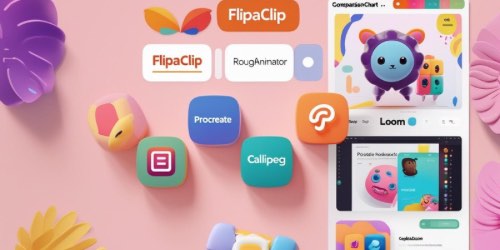
4. Callipeg (Subscription-based)
Callipeg is built specifically for iPad and Apple Pencil users, and it shows. The interface is elegant, the drawing tools are precise, and the animation timeline feels like it belongs in a professional studio.
- Best for: iPad-first animators who want a sleek, powerful environment
- Why we love it: Real-time timeline preview, customizable brushes, and gesture-based controls
If you’re ready to level up your 2D animation workflow, Callipeg is a great next step.
5. Looom (Creative and experimental)
Looom isn’t your typical animation app—it’s more like a music sequencer for drawing. It’s playful, unconventional, and great for brainstorming fun motion ideas.
- Best for: Creative thinkers who want to experiment with looping animations
- Why we love it: Unique interface, touch-based workflow, and intuitive layer loops
Looom is less about polish and more about play—and that’s a huge creative advantage.
Master Animation Faster with Bloop Courses

Learn the Art of Animation— Step by Step

Final Thoughts
The iPad is more than just a drawing tablet—it’s a full creative studio when paired with the right apps. Whether you want something fun and simple like FlipaClip or something professional like RoughAnimator or Callipeg, there’s a perfect app waiting for you. Try a few, experiment, and find the one that helps you stay inspired and consistent.


